Have you ever tried to type in Hindi or your mother tongue using a normal English keyboard? I used to copy-paste from Google Translate all the time, and trust me, it was a pain! Then, someone introduced me to the Google Input Tools Chrome extension, and since that day, typing in Hindi, Bengali, and even Tamil has become super easy for me.
If you’ve been struggling to type in your native language, this might just be the tool you need. Let me walk you through what it is, how I use it, and how it’s made my life a lot easier.
What is Google Input Tools?
In simple words, Google Input Tools is a free Chrome extension by Google that helps you type in regional languages using a regular English keyboard. You don’t need to learn a new keyboard layout or install any heavy software. You just type how the word sounds in English (called transliteration), and it converts it into your selected language.
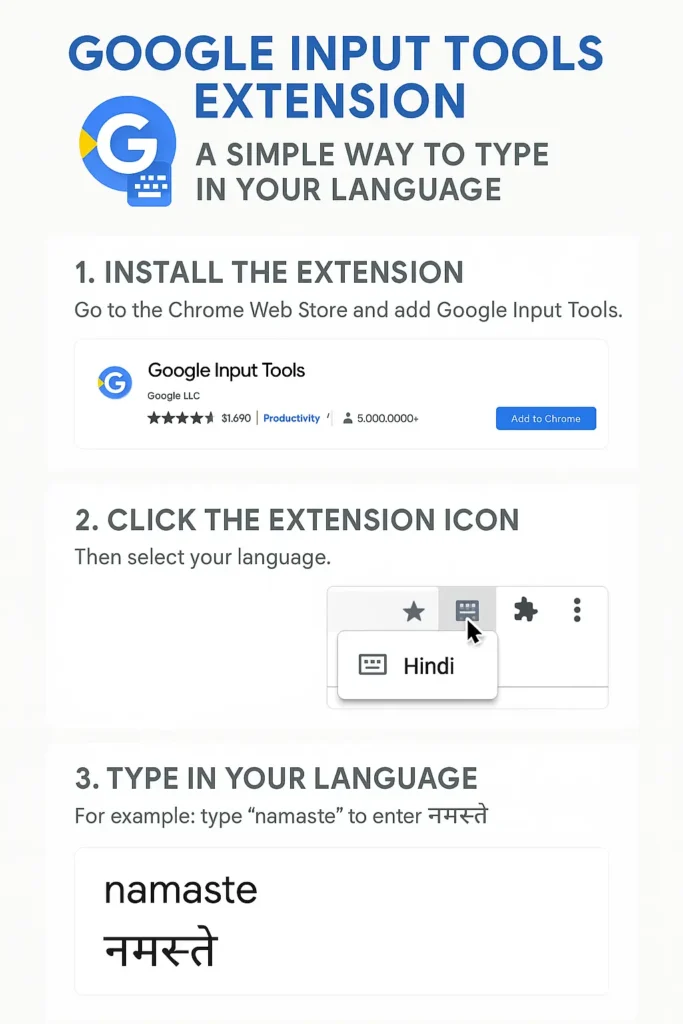
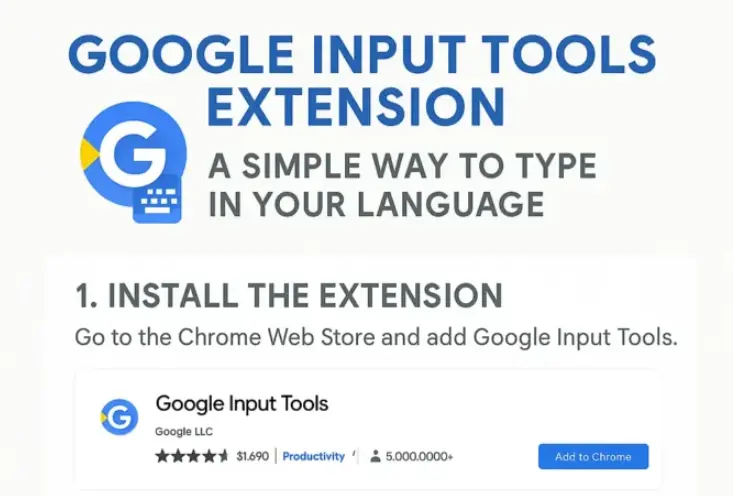
Google Input Tools Infographic
For example:
If I type “namaste”, it becomes “नमस्ते” in Hindi.
If I type “vanakkam”, it becomes “வணக்கம்” in Tamil.
It supports over 90 languages, including most Indian languages like Hindi, Bengali, Marathi, Gujarati, Tamil, Telugu, Kannada, Malayalam, and more.
How to Install Google Input Tools Chrome Extension
Installing it is quick and simple. Here’s how I did it:
Once it’s added, you’ll see a small keyboard icon (🖹) on the top right corner of your browser. That’s your input tool!
How to Use Google Input Tools for Typing in Indian Languages
Now comes the fun part—typing in your language. Here’s how I use it:
Click on the Google Input Tools icon (🖹) in the Chrome toolbar.
Select “Extension Options”.
Choose the languages you want to use (I picked Hindi, Tamil, and Bengali).
Now, whenever I need to type in Hindi, I click the icon, select Hindi, and just start typing in the box (like Gmail, Docs, etc.).
The moment I type “mera naam Rahul hai”, it appears as “मेरा नाम राहुल है”. Pretty cool, right?
My Personal Experience Using It
I mostly use the Google Hindi typing tool to chat with relatives or write social media posts in Hindi. I’ve also used it while writing poems in Bengali for a college project and typing Tamil greetings during Pongal.
Typing in your regional language adds a personal touch. People love it when they read something in their own language—even simple “शुभकामनाएं” instead of just “Best wishes”.
Challenges I Faced (And Quick Fixes)
Honestly, it wasn’t all perfect from Day 1. Here are a few small issues I ran into:
Typing Accuracy: Sometimes the word doesn’t come out right. For example, typing “dil” might give multiple options. You can press the down arrow key or click on suggestions to choose the right one.
Switching Between Languages: At first, I forgot to switch back to English and ended up typing strange stuff in Hindi. Now, I just keep the icon handy and click it whenever I need to change.
These are minor things. Once you get used to it, it becomes second nature.
Why I Recommend It
If you:
Struggle with Hindi or Indian language typing,
Want to type in Hindi using keyboard easily,
Need to write in your native language for school, work, or social media,
Or just want to connect better with your roots—
Then give Google Input Tools Chrome extension a try. It’s lightweight, free, and works on any site where you can type—emails, Google Docs, Facebook, WhatsApp Web, you name it.
A Few Handy Tips from My Side
Use Incognito mode if you don’t want to save the settings permanently.
You can add multiple languages and switch instantly.
Use it to help kids learn typing in their mother tongue—it’s way easier than using traditional layouts.
In a world where we mostly type in English, it feels really nice to send a message in Hindi or Tamil once in a while. It feels like home.
Google Input Tools helped me do that without any extra effort. If I can type in three different languages with one keyboard, so can you.
Give it a try and surprise someone with a “नमस्ते”, “வணக்கம்”, or “শুভেচ্ছা” today!
I a finance writer with 2+Year of Exp in financial topics. With BBA in Finance degree, content writer, SEBI-certified investor, and stock market enthusiast.

Recent Posts
Could Gold (XAU/USD) Cross $6,000 in the Coming Months?
Tukaram Mundhe Biography: Age, Education, IAS Career, Wife, Family, Salary, Net Worth & More
NISM-Series-XV: Research Analyst Certification Examination
NISM-Series-II-A: Registrars to an Issue and Share Transfer Agents (Corporate) Certification
NISM-Series-I: Currency Derivatives Certification Examination
Ravneet Singh Bittu: Biography, Age, Education, Wife, Political Career, Net Worth & More
Pawan Kumar Chandana: Biography, Age, Education, Net Worth, Wife, Skyroot Aerospace & More
Aryan Kelvin (Aman Pandit): Age, Biography, Height, Village, Net Worth & More
OFSS Bihar Portal 2026: Complete Guide for 11th Admission, Login, Merit List & Spot Admission
Skyroot Aerospace Vikram-1 Launch: India's First Private Orbital Rocket Set for Historic Mission
Abhijeet Dipke Joins Protest at Jantar Mantar, CJP Raises Concerns Over Civil Rights
JPMorgan Invests $24 Million to Boost US Shipbuilding Industry